
SetXRM Solutions
Purchasing Management
From purchase requests and supplier quotations to approvals and partial goods receipts, manage all purchasing processes integrated with your other modules.
Controlled purchasing from request to order
SetXRM purchasing management tracks all purchasing-related processes and works in integration with other modules.
Purchase requests are opened by the relevant departments and approved, adjusted or rejected by department managers. Requests can also be created based on the stock availability of products sold. Purchasing processes are set up according to your company’s workflows.
- Requests from sales, production and warehouse
- Previous purchase prices and consumption
- Automatic request-for-quotation e-mails
- Quotation import from Excel
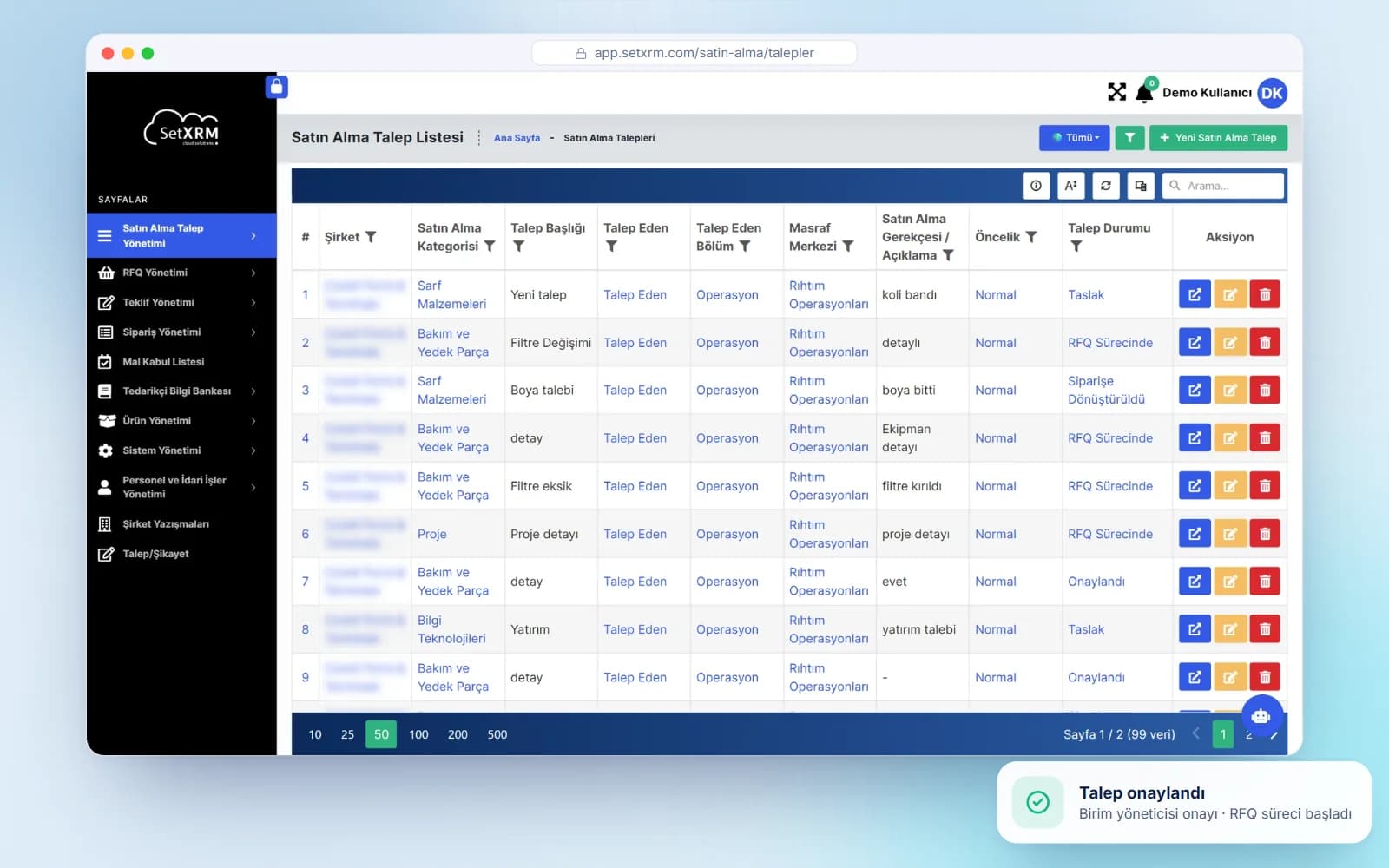
Product Tour
Take a closer look at the procurement platform
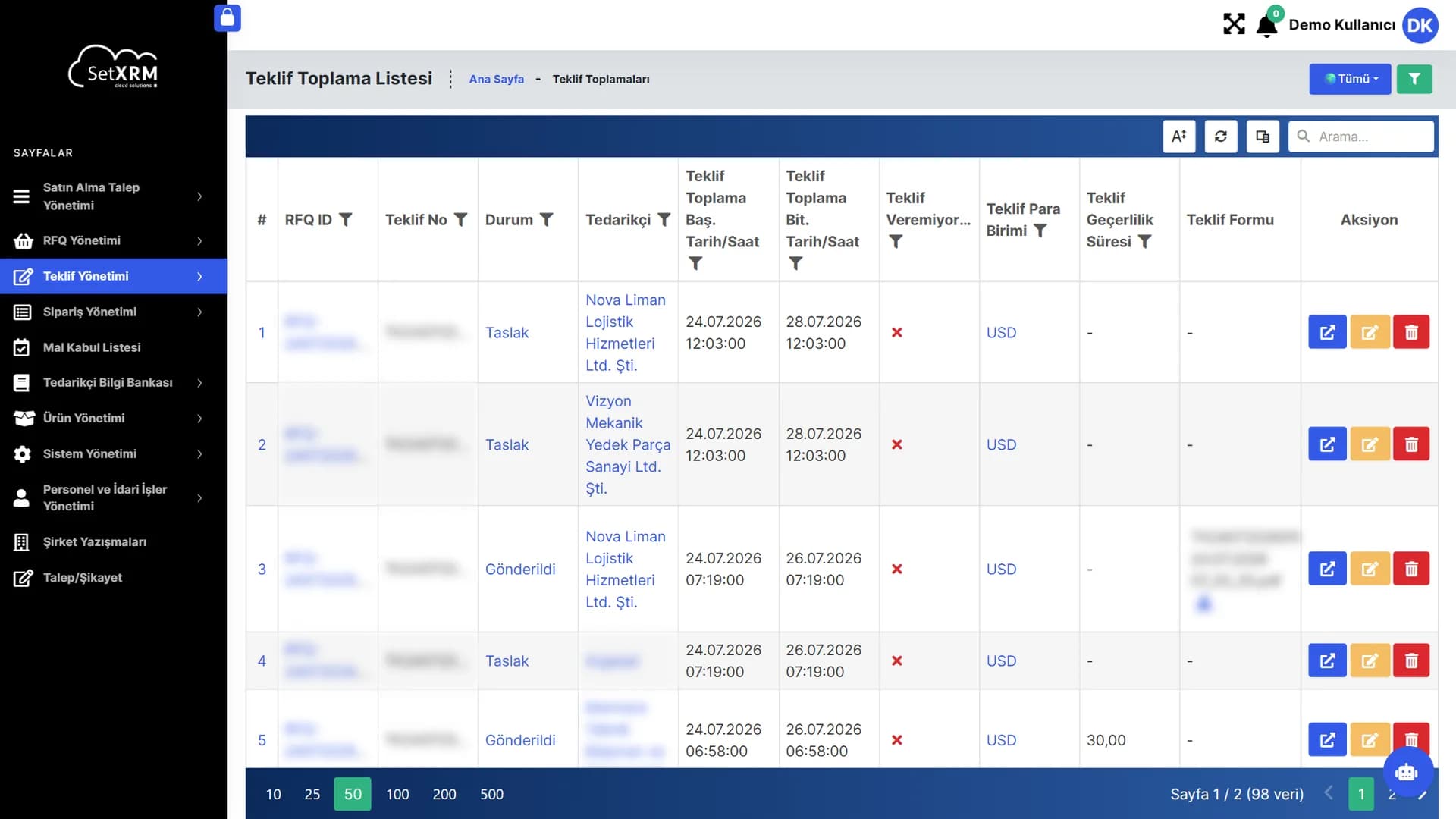
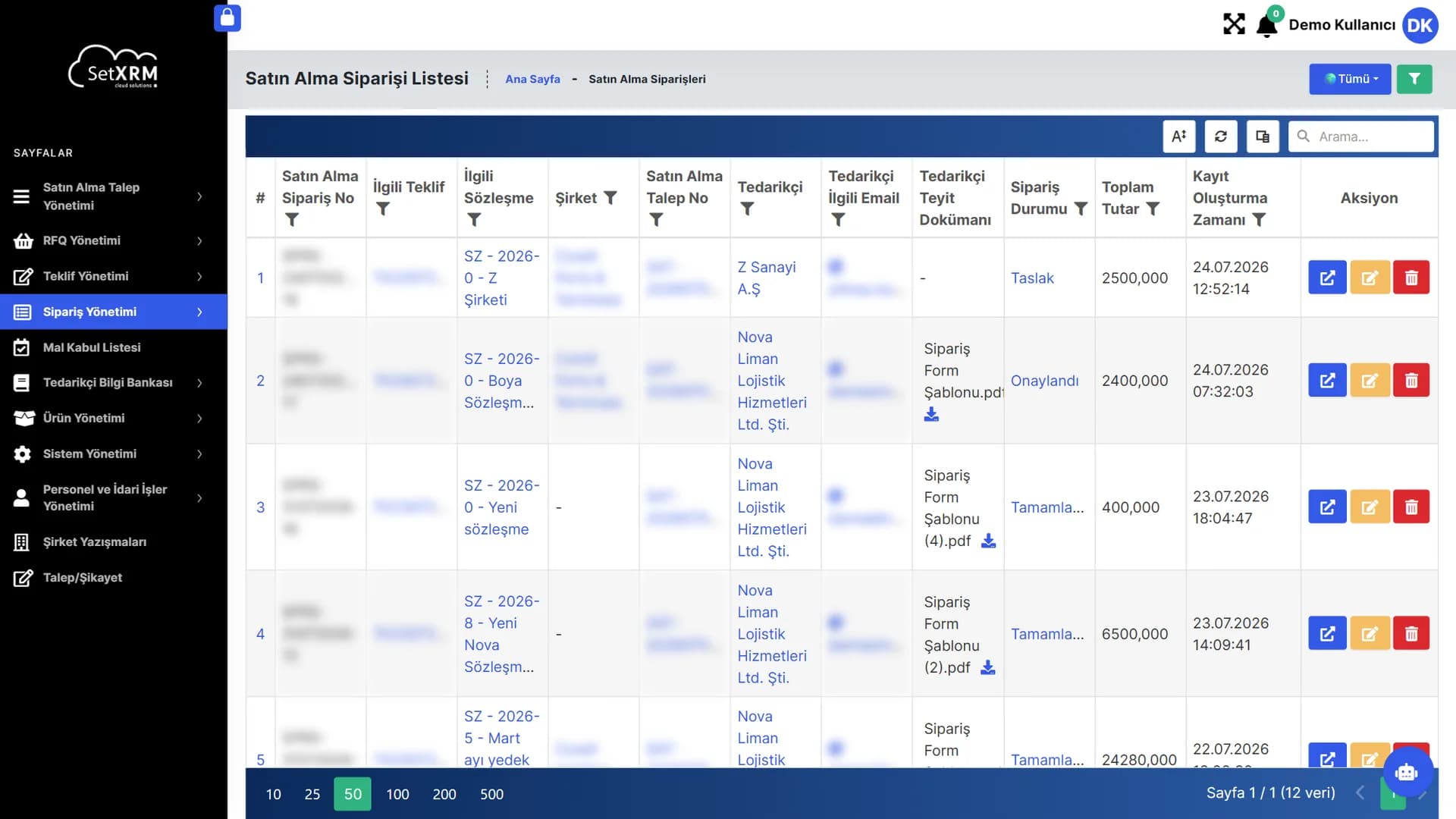
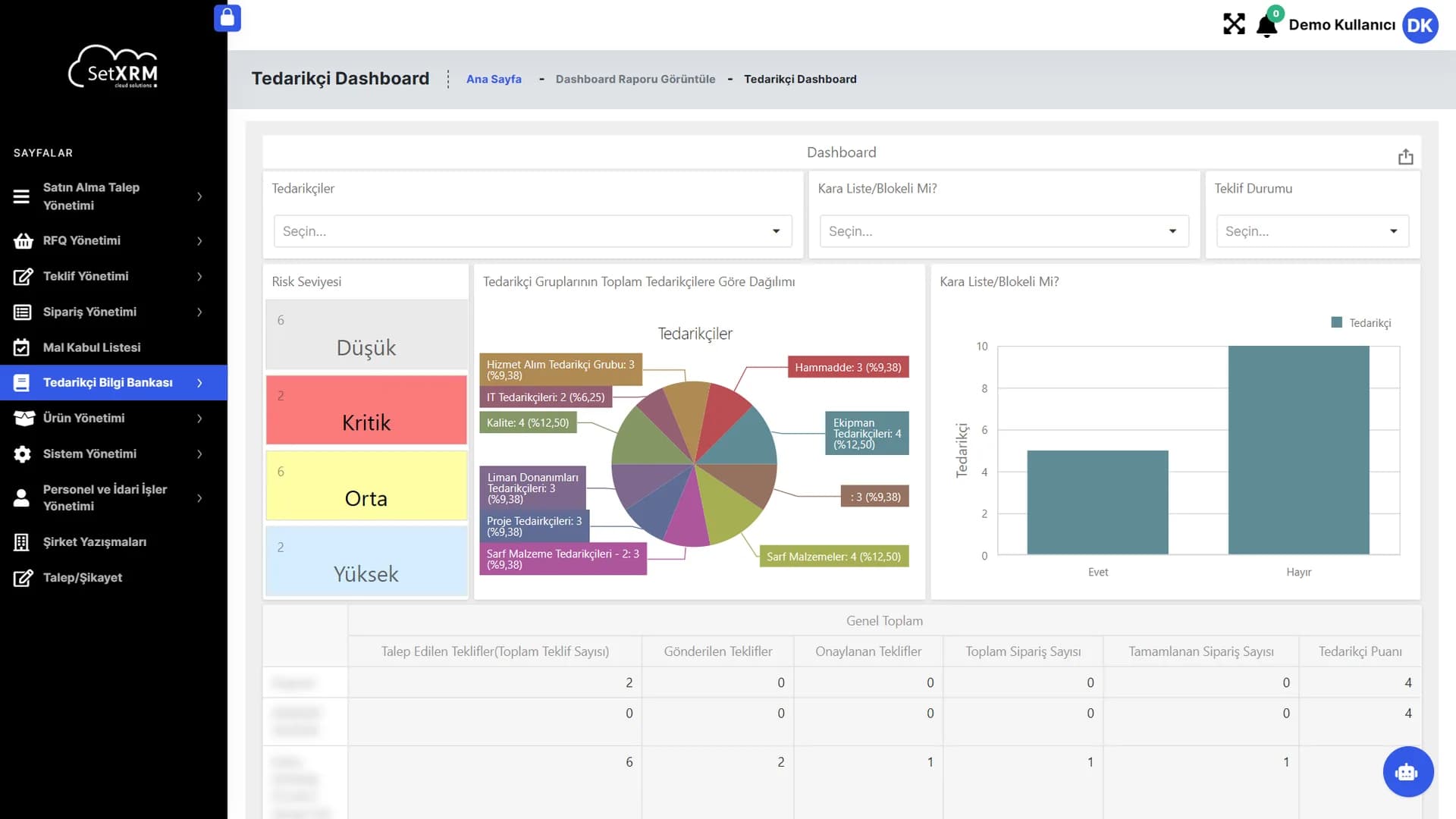
Real screens of the entire process, from request to order.
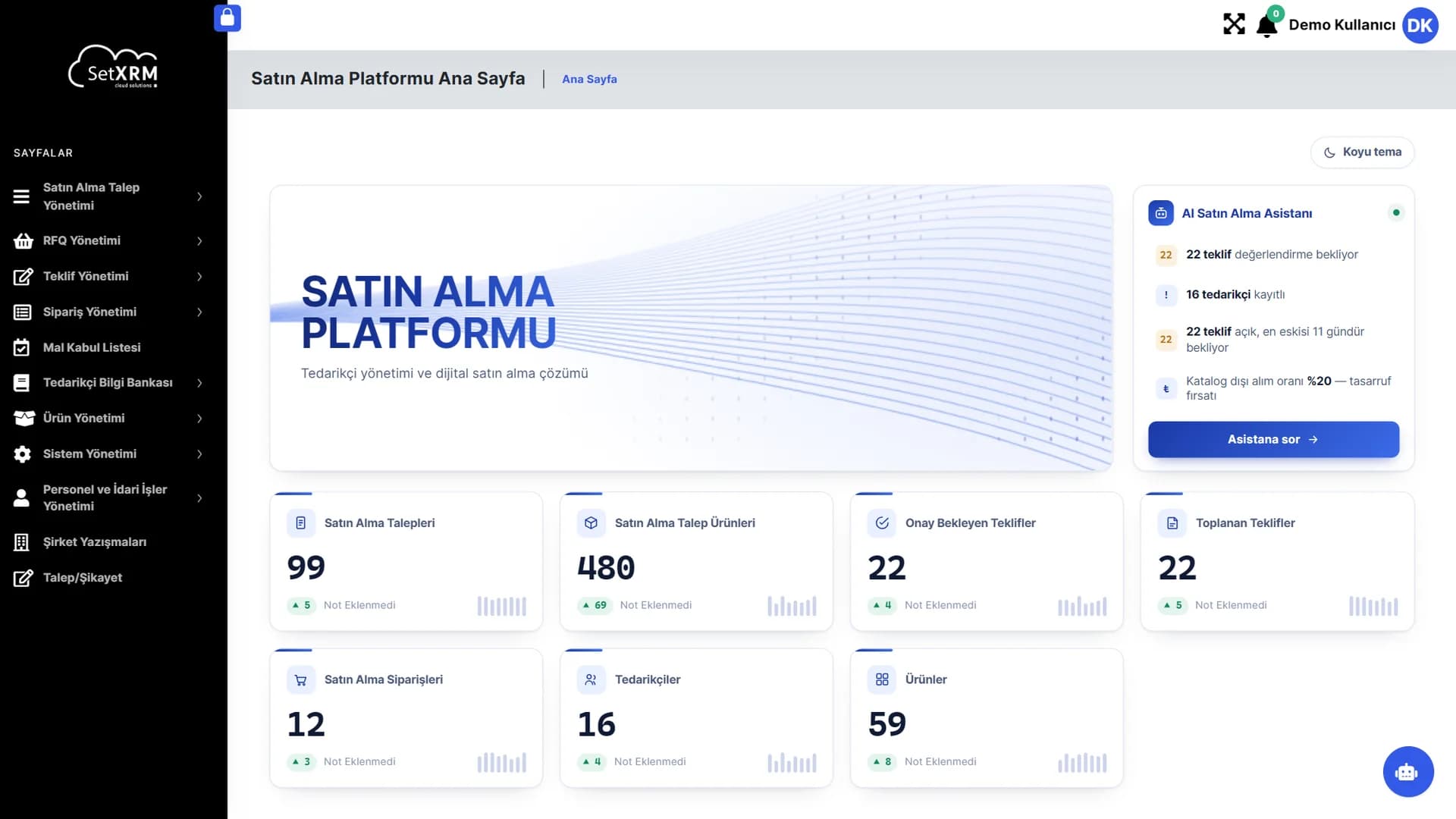
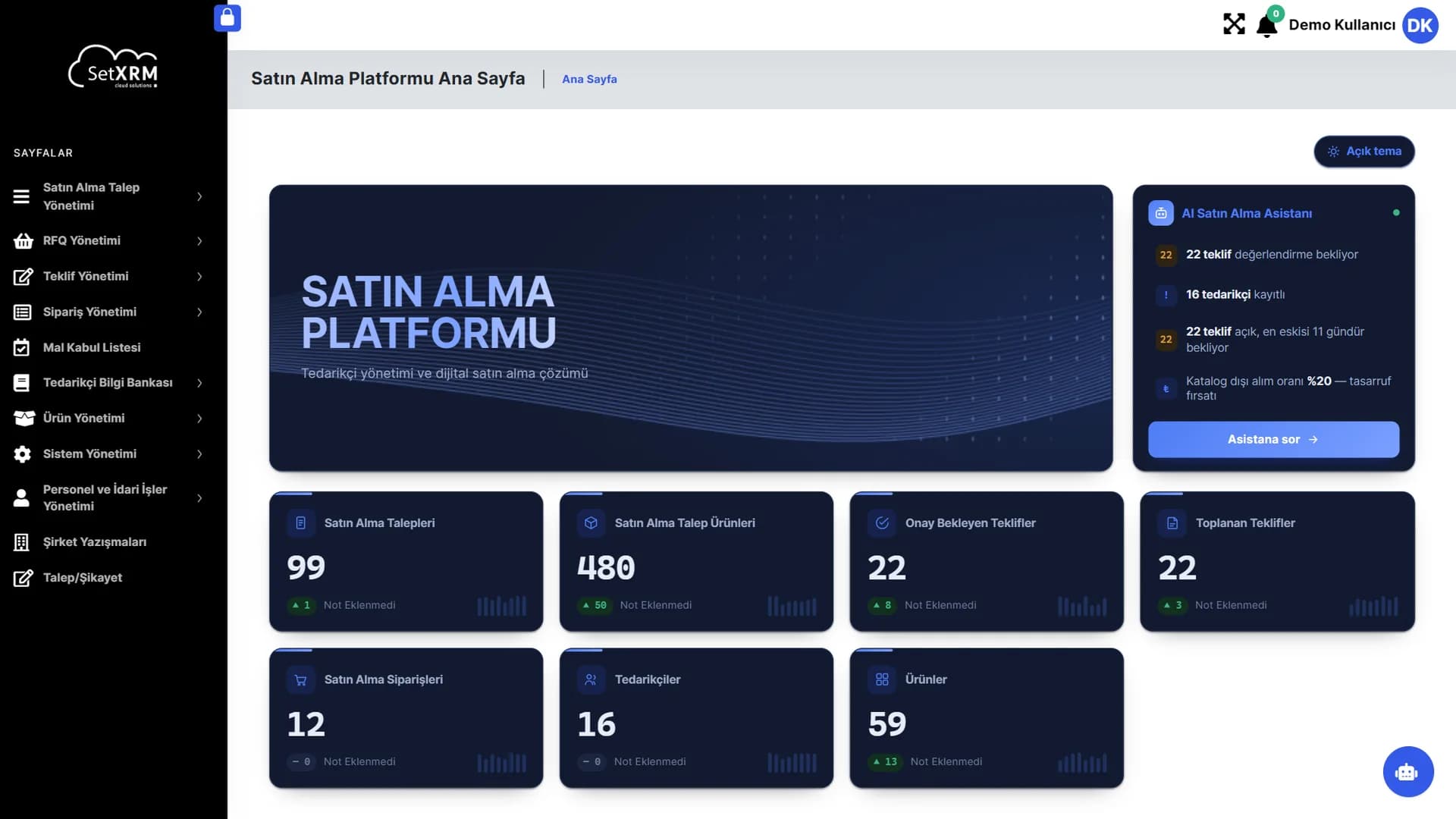
AI Procurement Assistant
Automatically calculates quotes awaiting evaluation, waiting times and the off-catalogue purchase rate – ask it a question with one click.
Live indicators
Every card links to its list; the arrows show the daily increase or decrease.
Modular menu
Requests, RFQs, quotes, orders, goods receipt, suppliers and products in one menu.
Click the numbered points to explore the screen
Modules
Every step of the purchasing process
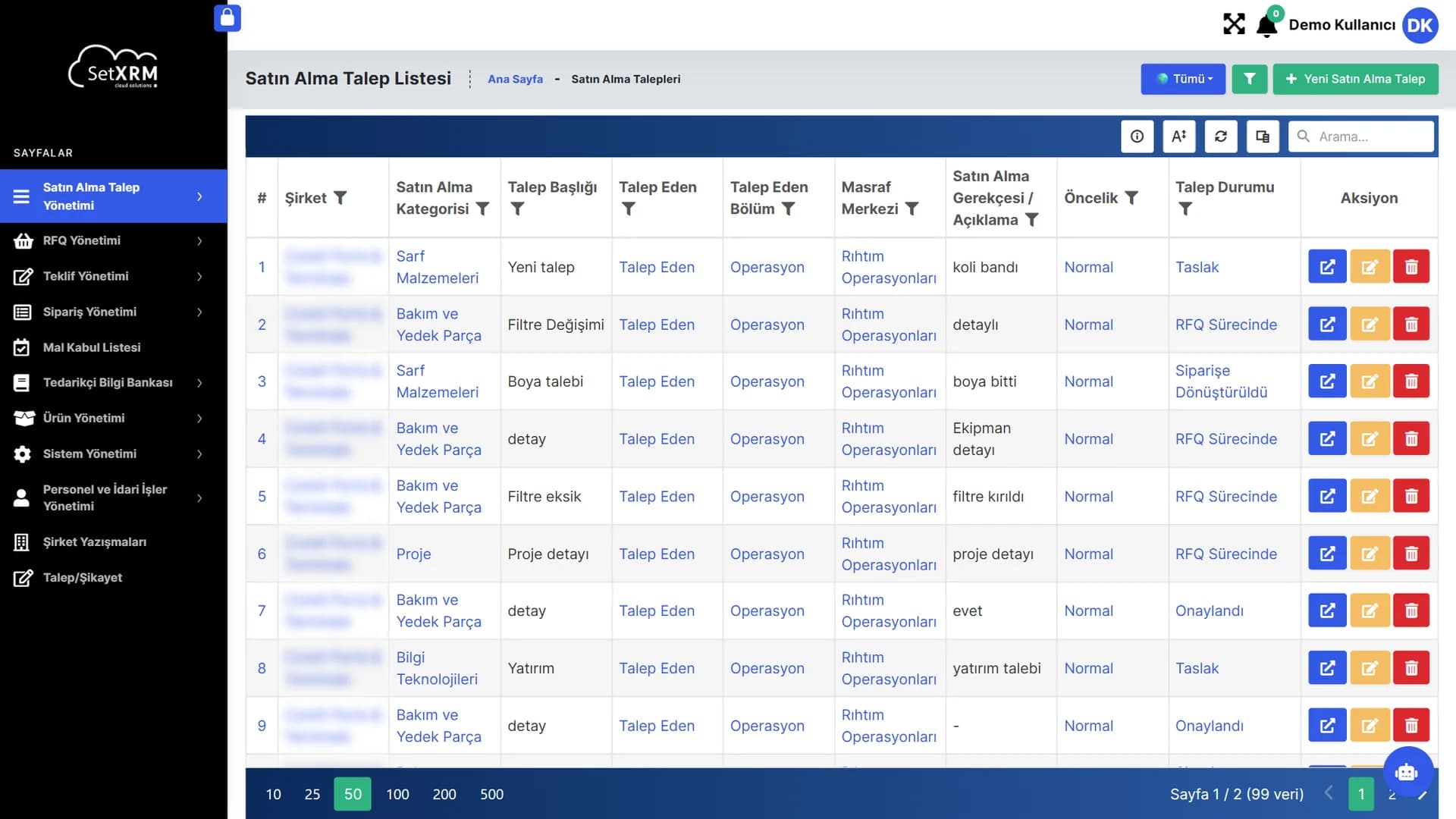
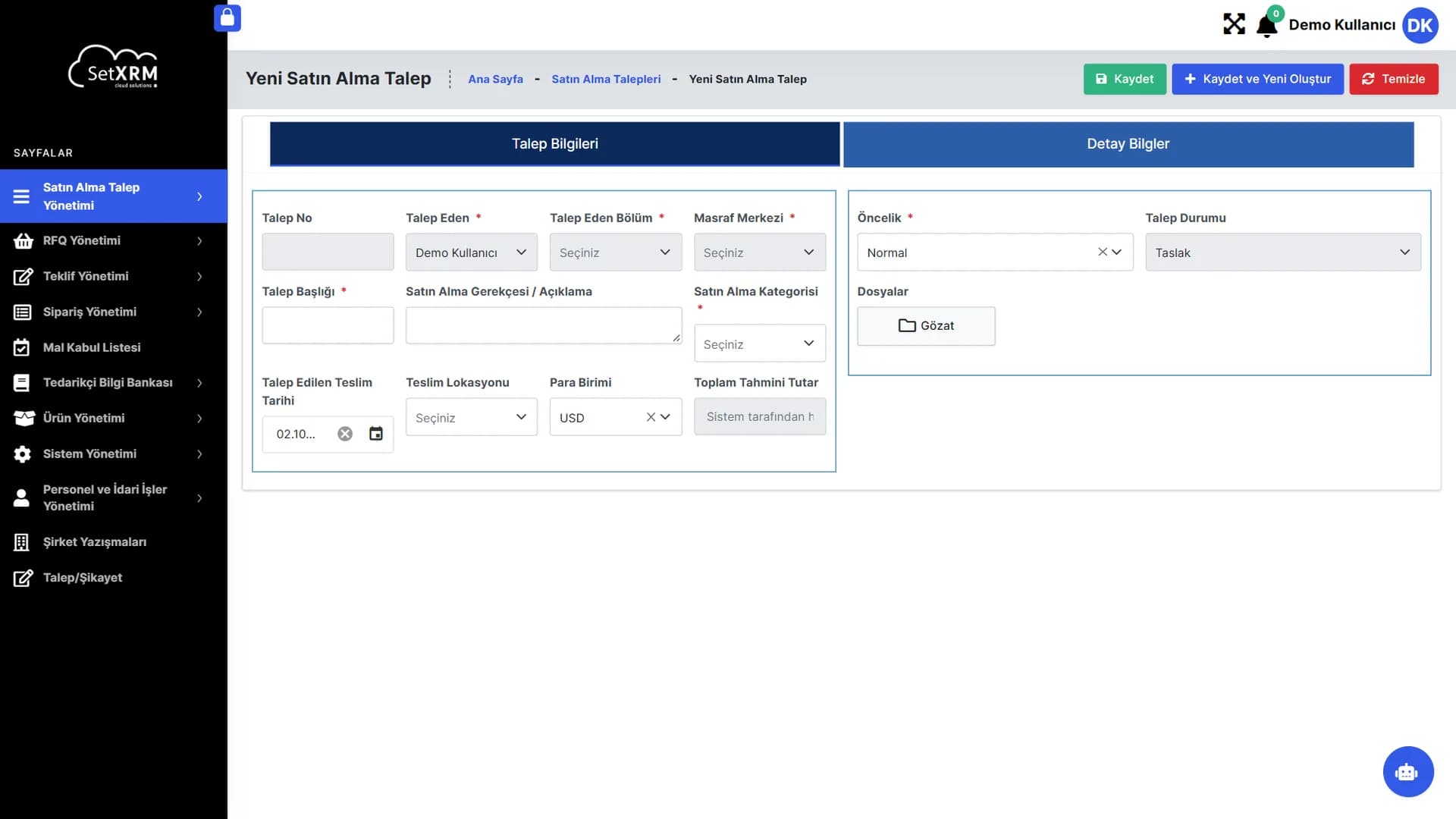
Purchase requests
Requests come from the relevant departments – sales, production and stock control (warehouse) – and are routed to department managers.
Manager approval
Managers see previous purchase prices, current and minimum stock quantities and annual and monthly consumption, and create a purchasing task for the quantities they approve.
Requests for quotation
Purchasing groups the requests by supplier (grouping is done by SetXRM), and the system sends request-for-quotation e-mails to the companies.
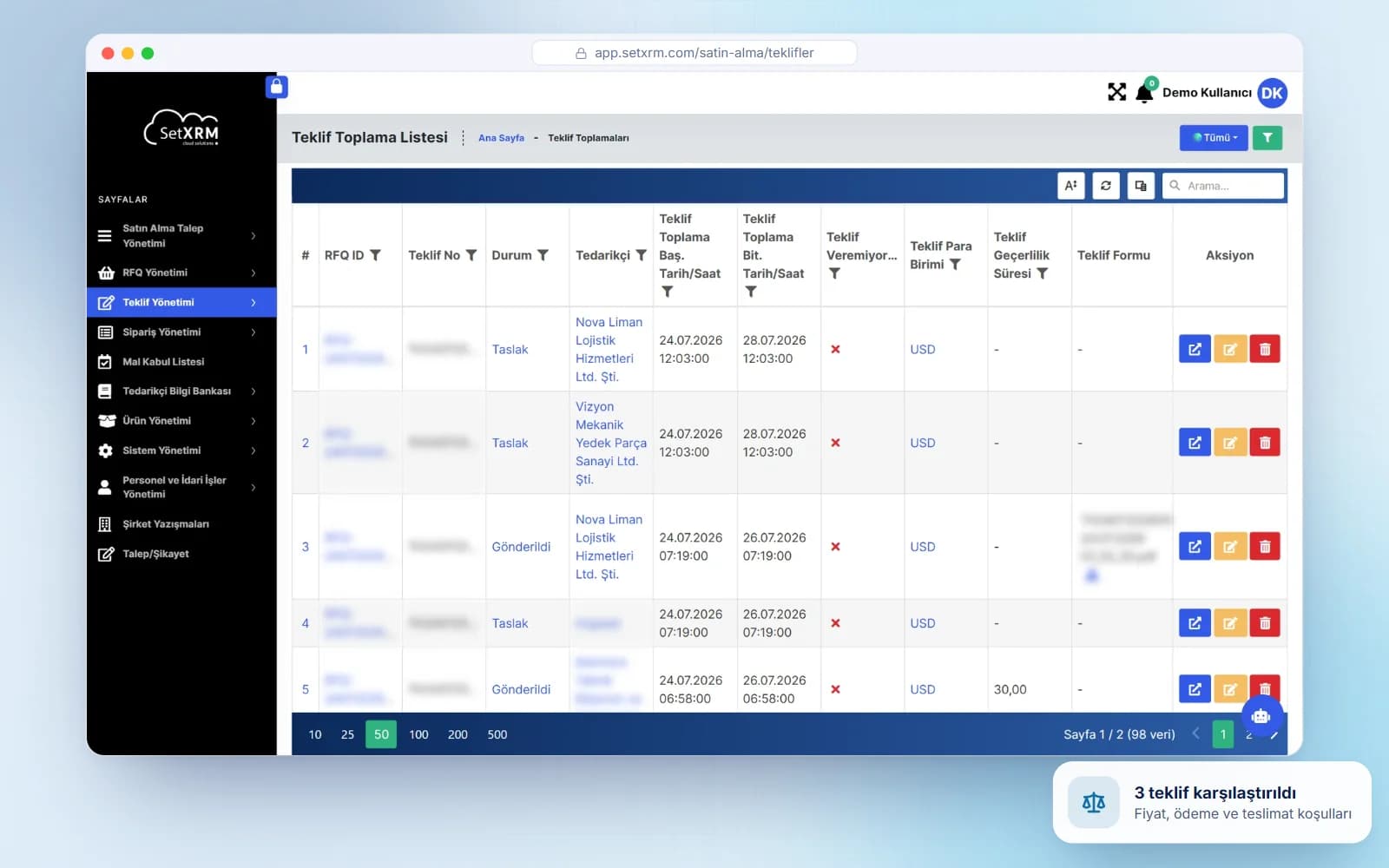
Quotation comparison
At least three quotations are entered with unit price, payment terms, delivery terms and additional features; SetXRM selects the most suitable one using its own comparison algorithm.
Orders and ERP transfer
Approval for the selected quotation is obtained, the order is placed with the supplier and purchase orders are transferred to your accounting software.
Partial receipts and delivery tracking
Partial goods receipts are supported; lead times, delays and delivered items are tracked by product code, supplier, order code, request number, department and date.
Quotation comparison and delivery tracking
At least three supplier quotations are entered into SetXRM with unit price, payment terms, delivery terms and any additional product features. If prices are returned in the Excel format sent to the supplier, they are imported directly from Excel; alternative product prices are recorded as well. The quotations are forwarded to the requesting department heads and the purchasing manager.
At every stage of the purchasing process you can create e-mails and templates and send them to the relevant people or organisations.
Related solutions
You may also be interested in
A tailored demo of Purchasing Management
Tell us about your needs and we will configure SetXRM around your business processes together.