SetXRM Solutions
Dealer Management System
Manage all dealer actions through SetXRM with the Dealer Management System – keep track of your inventory and increase your sales performance at the same time.
Inventory-centred dealer management
Request screens are designed quickly to match your workflow using the dynamic features of SetXRM and put into use right away.
When an inventory record is opened, all related installations, services and warranty part replacements are listed without switching to another screen.
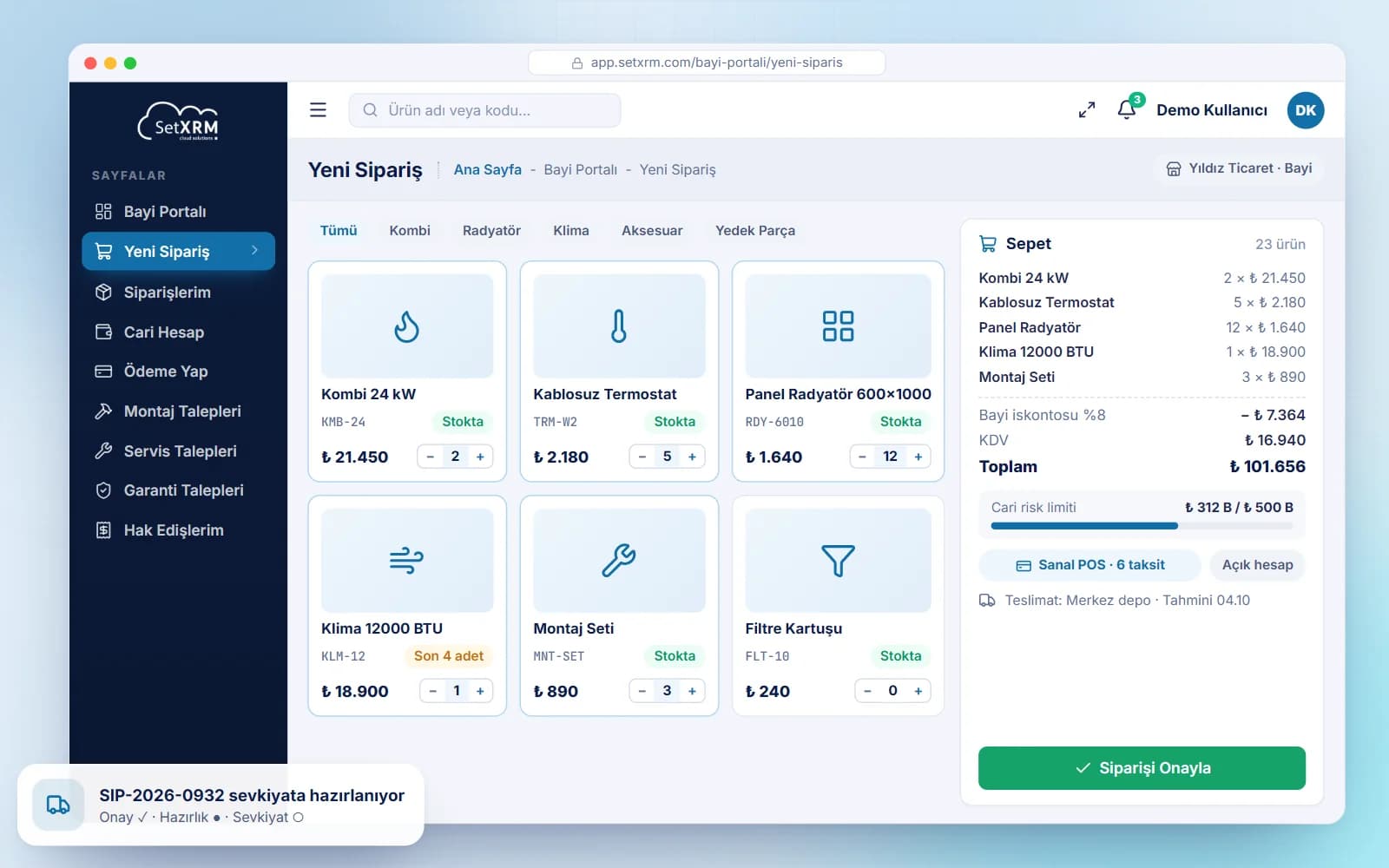
- Fast ordering with categorised search
- Instalment payments via virtual POS
- Installation, service and warranty tracking
- Progress payment creation and payout
Modules
Dealer management system features
Order Tracking
Create fast product or spare part orders with categorised search; follow subsequent stages such as approval and shipping, and see items and prices in the order details.
Current Account Tracking
Dealers see their account movements and past payments; via ERP integration they access statements, risk and cheque/note reports as well as their installation, service and order history.
Virtual POS Payments
Dealers make payments in this module with instalment options through partner banks, list previous payments, export them to Excel and download payment details as PDF.
Installation Tracking
Detailed installation information for products sold is added to the system and can be viewed directly from the inventory record.
Service Tracking
A service request screen tailored to your workflow records every technical service performed on the inventory; dealers use warranty or paid parts with a spare parts stock inquiry.
Warranty Claims Tracking
Warranty part replacements on the inventory are recorded, and all warranty replacements are listed on the inventory record.
Dealer Progress Payments
Dealers create progress payments for installations, warranty parts and services that meet the payment conditions and receive payment once approved.
Integrations
Commission-free integration with bank systems; any other program or ERP can be integrated thanks to the SetXRM Rest API.
Reports
With dynamic reporting, reports can be designed across all modules such as sales, service and progress payments.
Related solutions
You may also be interested in
A tailored demo of Dealer Management System
Tell us about your needs and we will configure SetXRM around your business processes together.