SetXRM Solutions
Integration
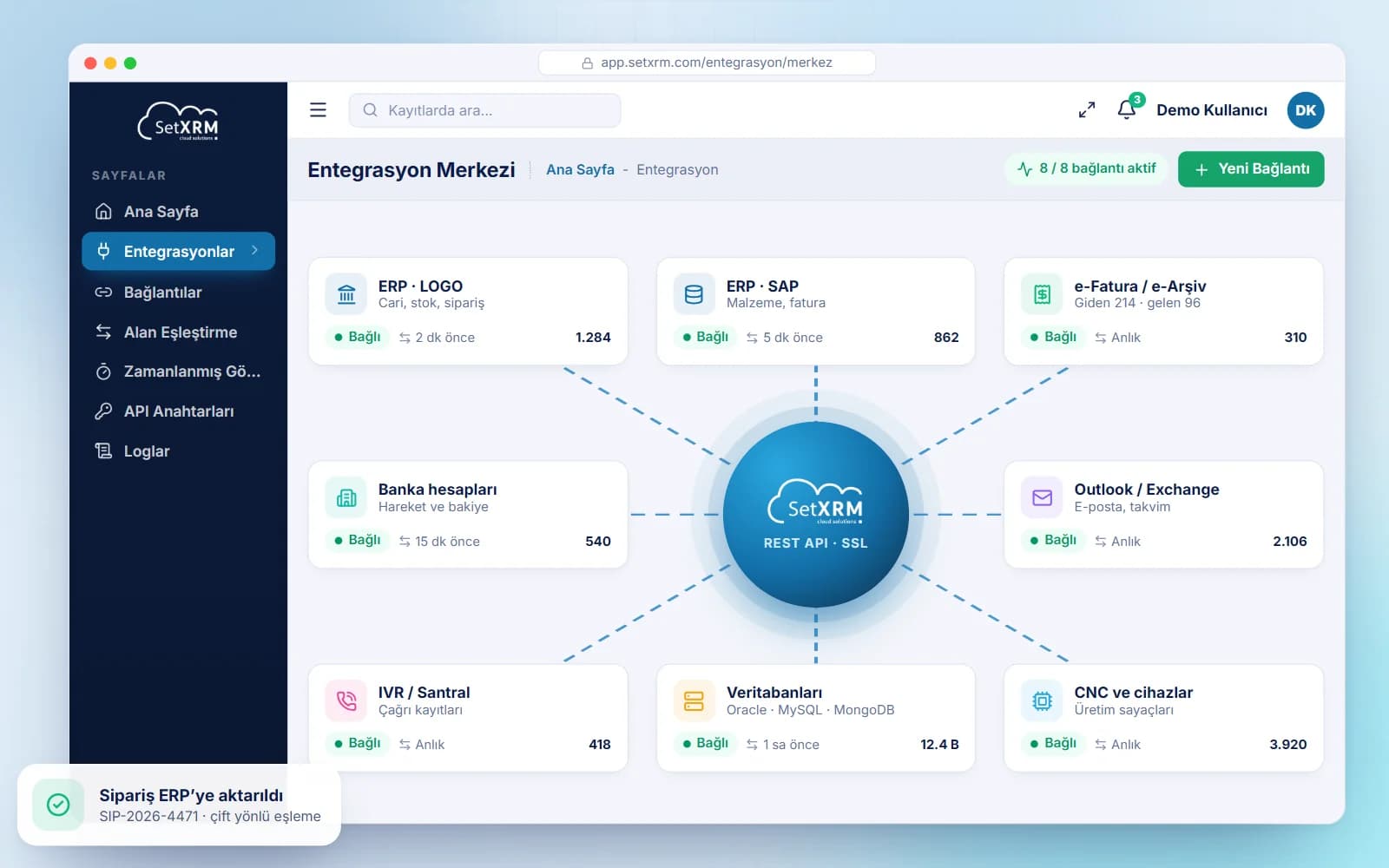
Exchange data in both directions between SetXRM and all your systems – from accounting software and website to databases and devices – via Rest API.
Two-way data flow with all your systems
With the SetXRM integration module you can easily exchange information with your own accounting application, website, B2B or B2C application, IVR, Outlook, Exchange Server, CNC or similar devices connected to the system, Excel and different databases (Oracle, DB2, MySQL, MongoDB).
In addition, ready-made services for integration with LOGO, NETSIS, NEBIM, MIKRO and SAP are available for your use.
- Ready services for LOGO, NETSIS, NEBIM, MIKRO, SAP
- Oracle, DB2, MySQL, MongoDB
- Outlook, Exchange Server, IVR
- CNC and similar devices
Modules
Integration infrastructure
Bi-directional integration
Information is read or written from SetXRM to other systems and from other systems to SetXRM.
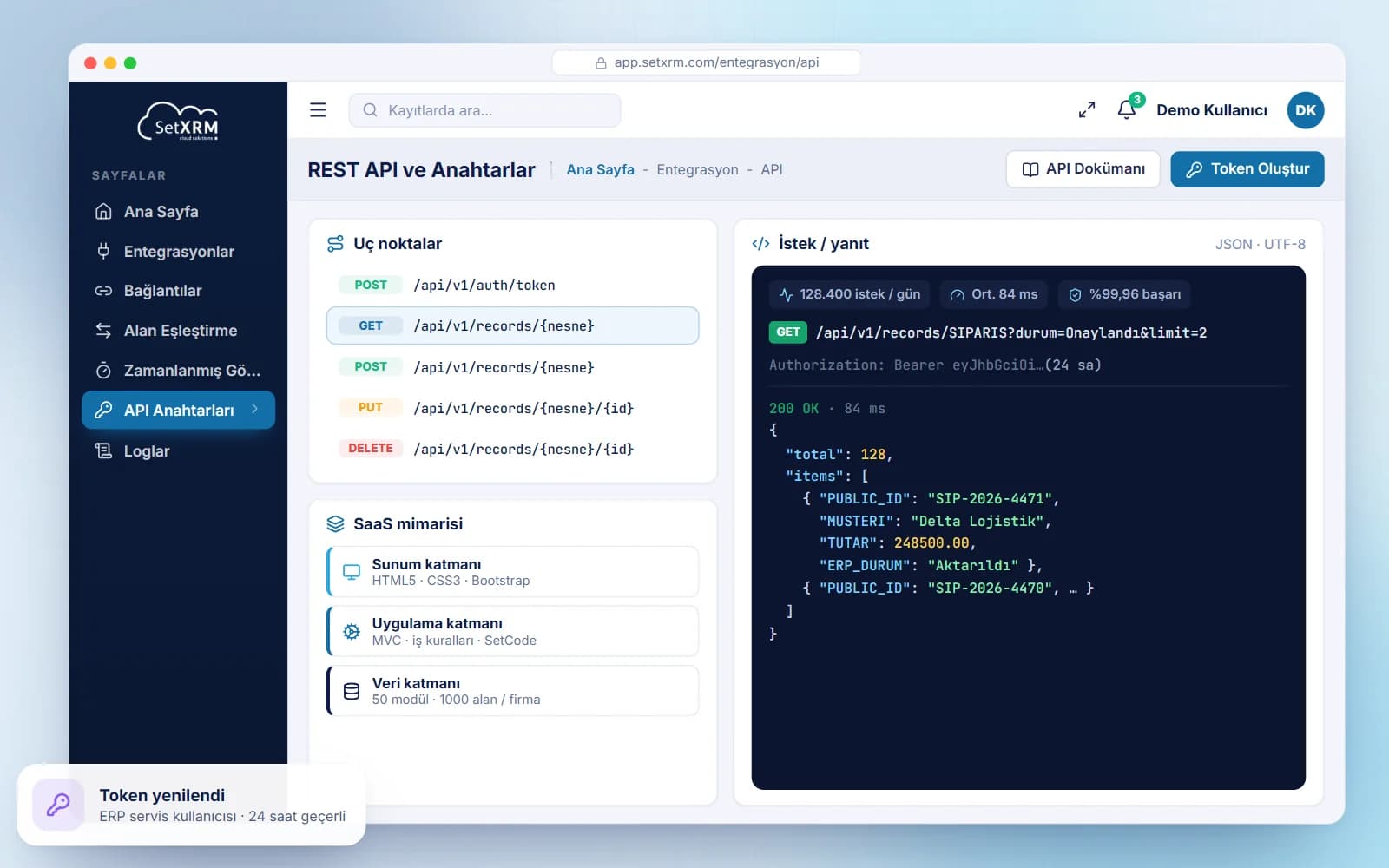
Rest API and SSL
Integrations run on the advanced Rest API; the SetXRM API transfers information between SetXRM and the desired systems over the SSL port.
Token-based access
Each company retrieves the 32-character token generated for it from the system, adds it to the integration service and accesses its SetXRM data.
Formulas and JavaScript
Use C# and Excel formulas in the interfaces to calculate between fields, and write JavaScript for custom modules and objects to integrate with other applications.
Mapping with PUBLIC IDs
After entering the API token, the company’s custom objects, fields and tables are listed; their PUBLIC IDs are used in the integration.
Installed service software
The service software we developed is installed on the server of the application to be integrated and exchanges information via get/post methods using the SSL certificate installed there.
SaaS architecture and technical foundation
SetXRM is developed on a SaaS architecture. It has a three-tier architecture and is built on MVC with Bootstrap (HTML5 and CSS3). The database uses a tabular structure; each company can add 50 different modules and 1,000 different fields.
The SetXRM Rest API application and its technical documentation can be downloaded from the SetXRM help site.
Related solutions
You may also be interested in
A tailored demo of Integration
Tell us about your needs and we will configure SetXRM around your business processes together.