
SetXRM Solutions
Dealer Management
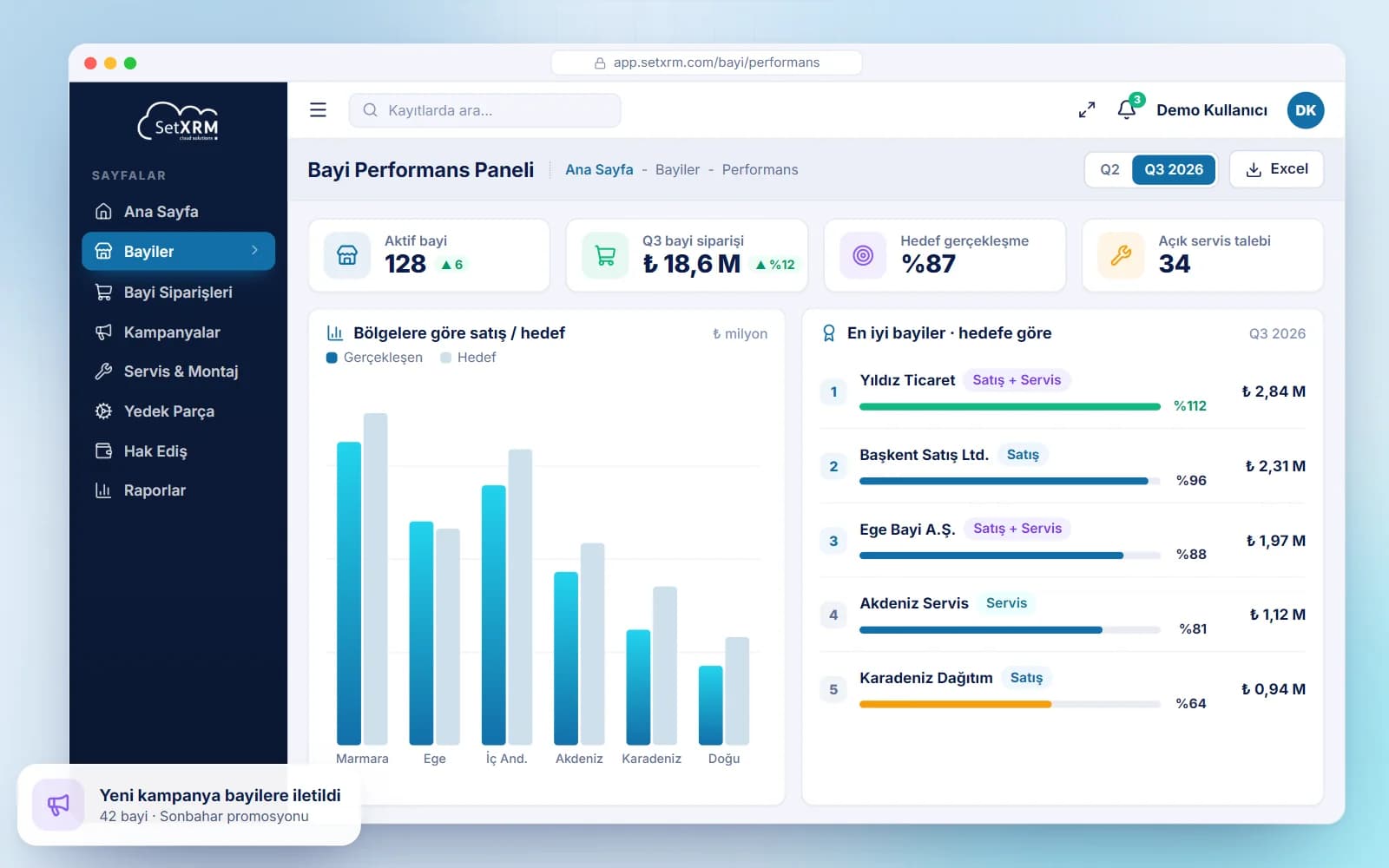
With the SetXRM dealer management module, manage your sales and service points with ease and bring every dealer process – from orders to progress payments – into one system.
Your sales and service points in one system
With the SetXRM dealer management module you can divide your dealers into categories (sales, service, sales and service). If you use a B2B application, information flows to it through the API we have developed.
Dealers log in to an interface created for them, place their orders there and follow the order stages in real time.
- Sales, service or sales-and-service dealers
- Information flow to your B2B application via API
- Dealer-specific campaigns and promotions
- Real-time order status tracking
Modules
What dealer management offers
Dealer categories
Divide your dealers into categories such as sales, service, or sales and service.
B2B integration
Provide an information flow to your B2B application through the API we have developed.
Campaigns and promotions
Track the campaigns and promotions you define for dealers through the system.
Dealer order screen
On the order screen, dealers see their current account balance, risk limit, previous orders, any product returns and products waiting in service.
Approval flow
Orders are routed for approval to the relevant person according to the workflow plan; depending on stock availability, they are completed and sent to the relevant departments.
Service dealer screen
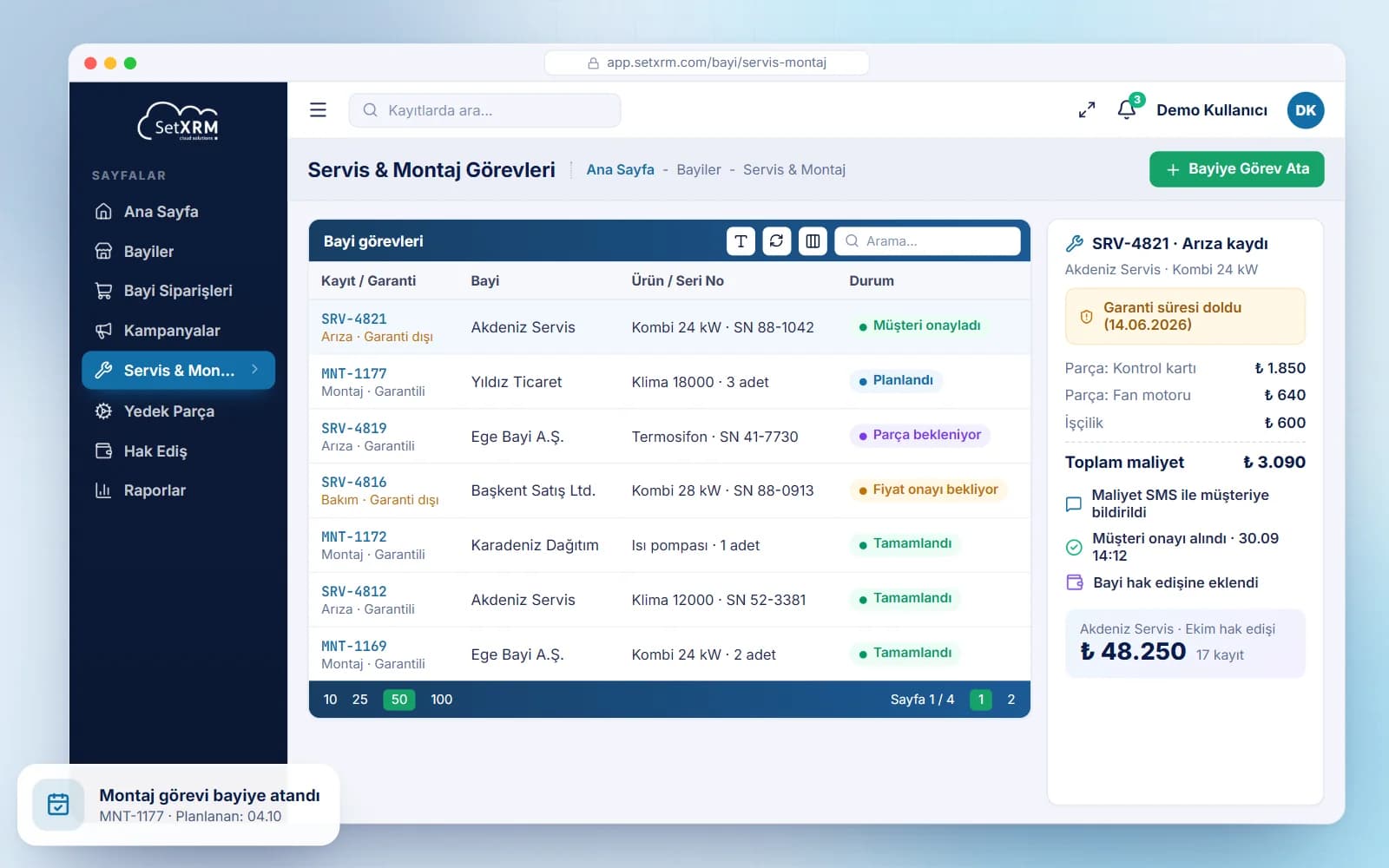
Service dealers see the services assigned to them, the service details of customers who contacted them directly, their installations and removals, and spare parts lists.
Spare parts tracking
Spare part availability and procurement times are tracked through the system.
Progress payments
Progress payments for completed work and the related payments are tracked; a single invoice can be issued for several progress payments.
Service and installation processes
Although business processes vary by sector, faulty products or products requiring service generally reach the dealer by hand or by cargo; if an installation is needed, the dealer is assigned a task through the system.
The dealer plans the work according to its own schedule and checks whether the products are under warranty. If not, it informs the customer of the repair cost and, once approved, enters the work performed, replaced parts and charges into the system. Any progress payment due from headquarters for this work is calculated automatically.
All of these transactions can be tracked by call number and product serial number.
Related solutions
You may also be interested in
A tailored demo of Dealer Management
Tell us about your needs and we will configure SetXRM around your business processes together.