
SetXRM Solutions
Customer Service
Group incoming customer calls as complaints, requests and suggestions, route them to the right departments and keep your customers with fast resolutions.
Great service keeps customers
In today’s highly competitive markets, retaining existing customers and winning new ones depends directly on the services you offer. It is a fact that acquiring a customer costs five times more than retaining an existing one.
That is why you need solutions and strategies that understand your current customer profile. With the customer service module you set up in SetXRM, incoming calls are grouped as complaints, requests and suggestions and resolved by routing them to the relevant departments.
Modules
What the customer service module offers
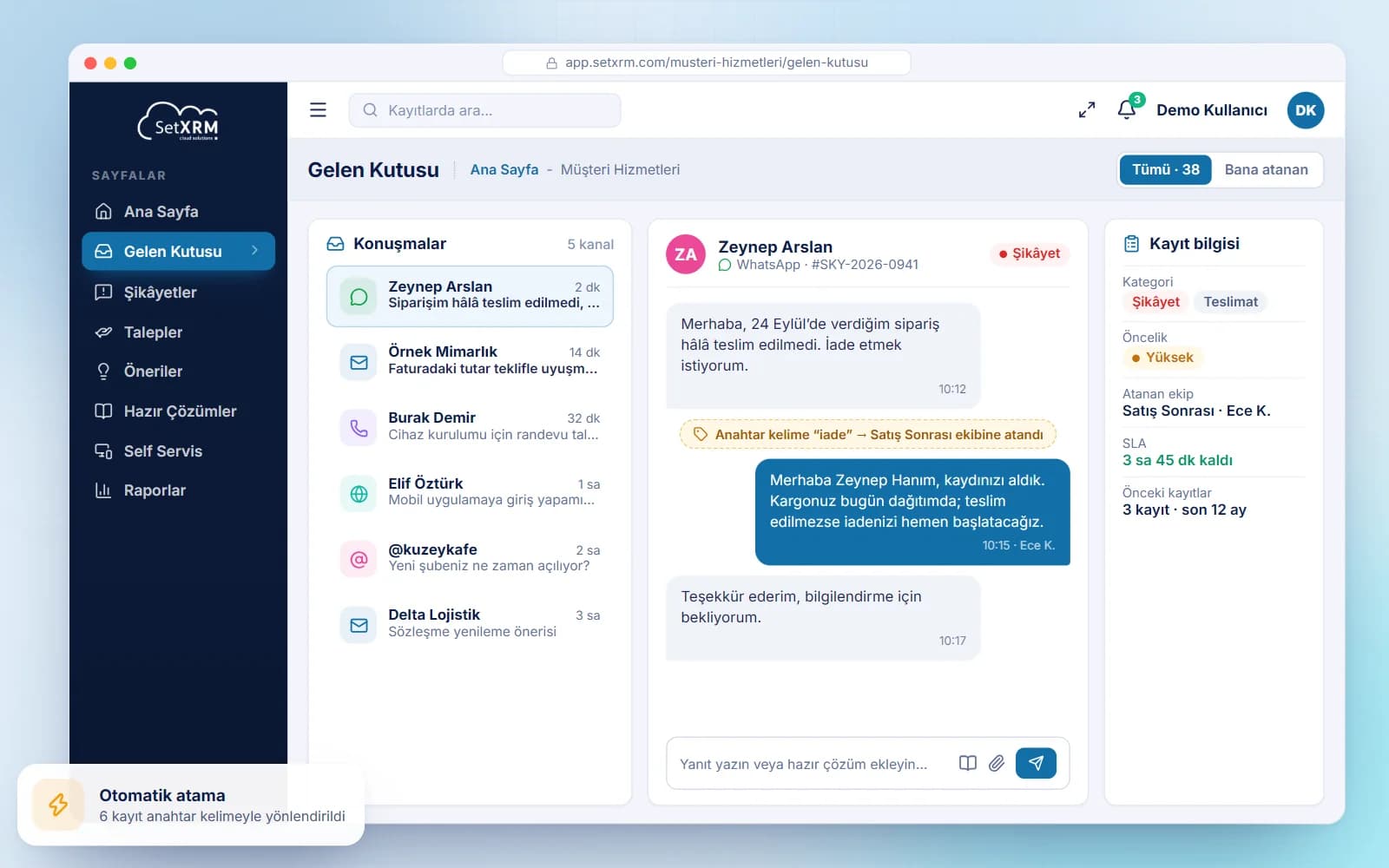
Grouping and routing
Incoming customer calls are grouped as complaints, requests and suggestions and routed to the relevant departments.
Social media analysis
Customers’ opinions about your company or products on social media are collected and analysed, and actions are recommended based on the results.
Predefined solutions
Group complaints and requests, define the solutions for the most frequent issues in the system and resolve them quickly.
Self-service
Online customers register products, create complaints and follow their status on the e-commerce self-service site.
Keyword-based assignment
Complaints are grouped by defined keywords and automatically assigned to the relevant departments.
Analysis and reporting
Calls are listed in the system and customer requests and complaints are analysed.
The SetXRM “Best Practices” scenario
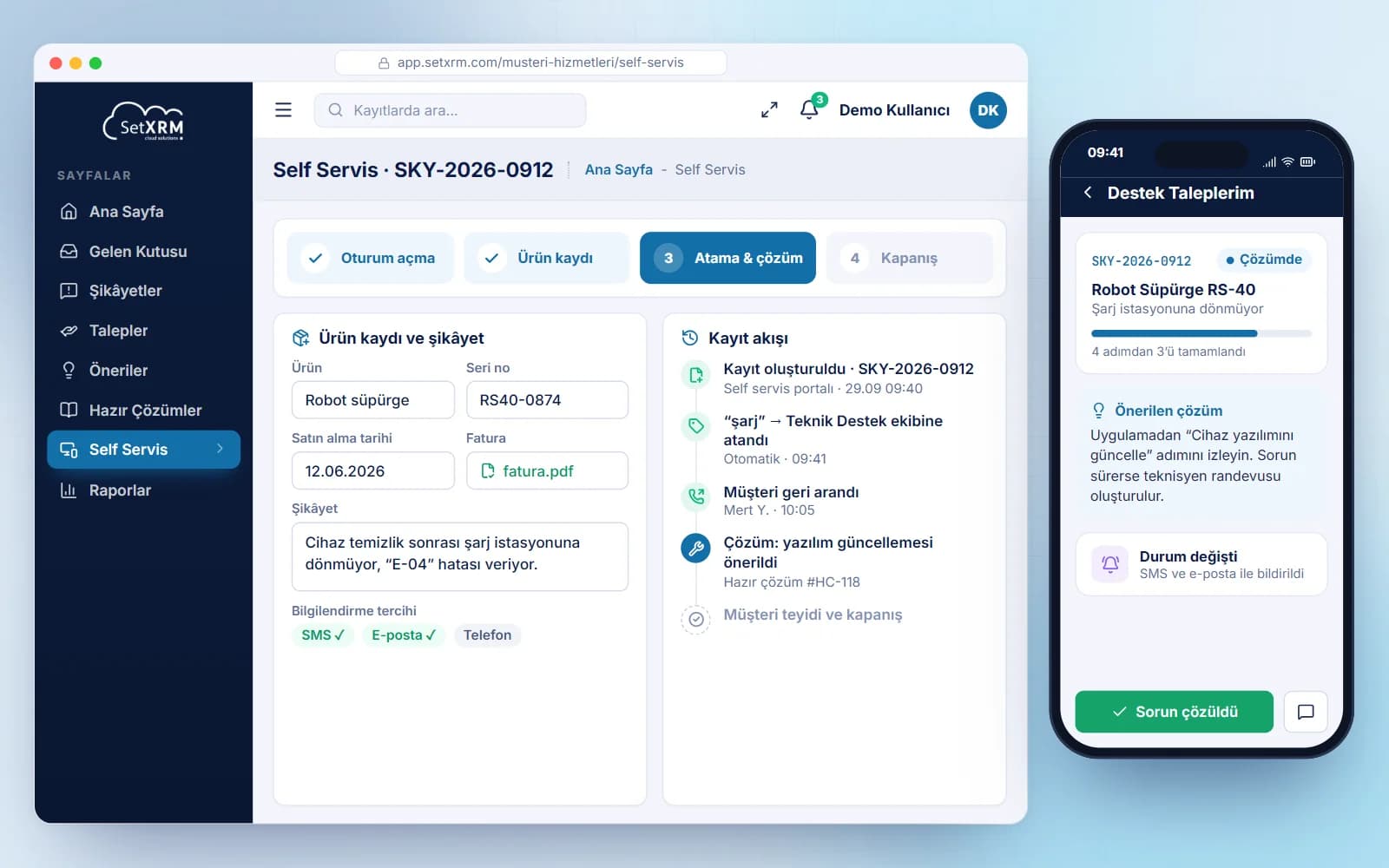
The following is the general procedure for how a customer – if they are the seller’s online customer – uses the self-service facility to register a newly purchased product and enter a complaint about it.
This workflow may vary from customer to customer; thanks to the flexible structure of SetXRM, the process is adapted to your company.
Process
A standard customer service workflow
A typical customer service scenario consists of the following steps.
Log in
The customer logs in to the seller’s e-commerce customer self-service site.
Product registration and complaint
The customer registers the newly purchased product (also possible by phone) and then submits a complaint or request by phone or web, reviewing the warranty information while doing so.
Assignment and resolution
The complaint arrives in SetXRM, is grouped and assigned to the relevant department based on defined keywords. The assigned team calls the customer back; the call stays open until the issue or suggestion is resolved.
Tracking and closure
The customer follows the complaint status on the self-service site. Once resolved, the customer is informed by e-mail, message or phone and the call is closed as completed.
Related solutions
You may also be interested in
A tailored demo of Customer Service
Tell us about your needs and we will configure SetXRM around your business processes together.