
SetXRM Solutions
Production Management (MRP II)
Track the order, production and shipment stages with the production module developed on SetXRM – optimise your production plans and reduce your costs.
Production tracking with MRP II logic
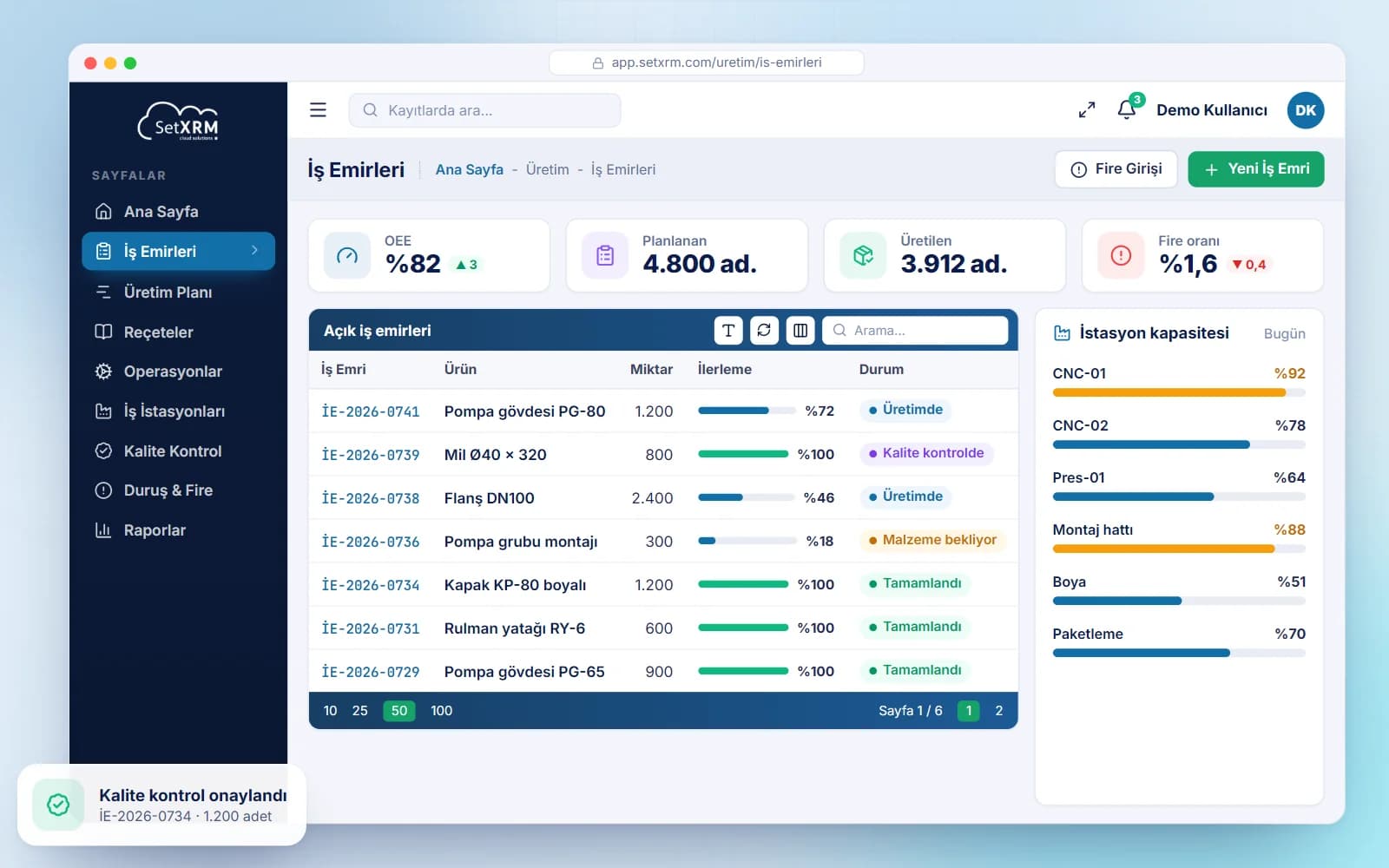
SetXRM works with MRP II logic, and quality control screens can be created at any point to record quality control data. New bills of materials can be created quickly from those already defined in the system.
The production module defines work durations, workstations and their capacities, sub-stations (moulds), operations, bills of materials, product groups, downtimes, quality control definitions and daily, weekly, monthly and annual work calendars.
- Workstations and capacities
- Bills of materials and operations
- Downtime and scrap tracking
- Integration with sales and purchasing
Modules
Production management features
Quality control
Create quality control screens at any point you need and record quality control data.
Bills of materials and operations
Bills of materials, operations, product groups and sub-stations (moulds) are defined; new bills of materials are created quickly from existing ones.
Forward and backward scheduling
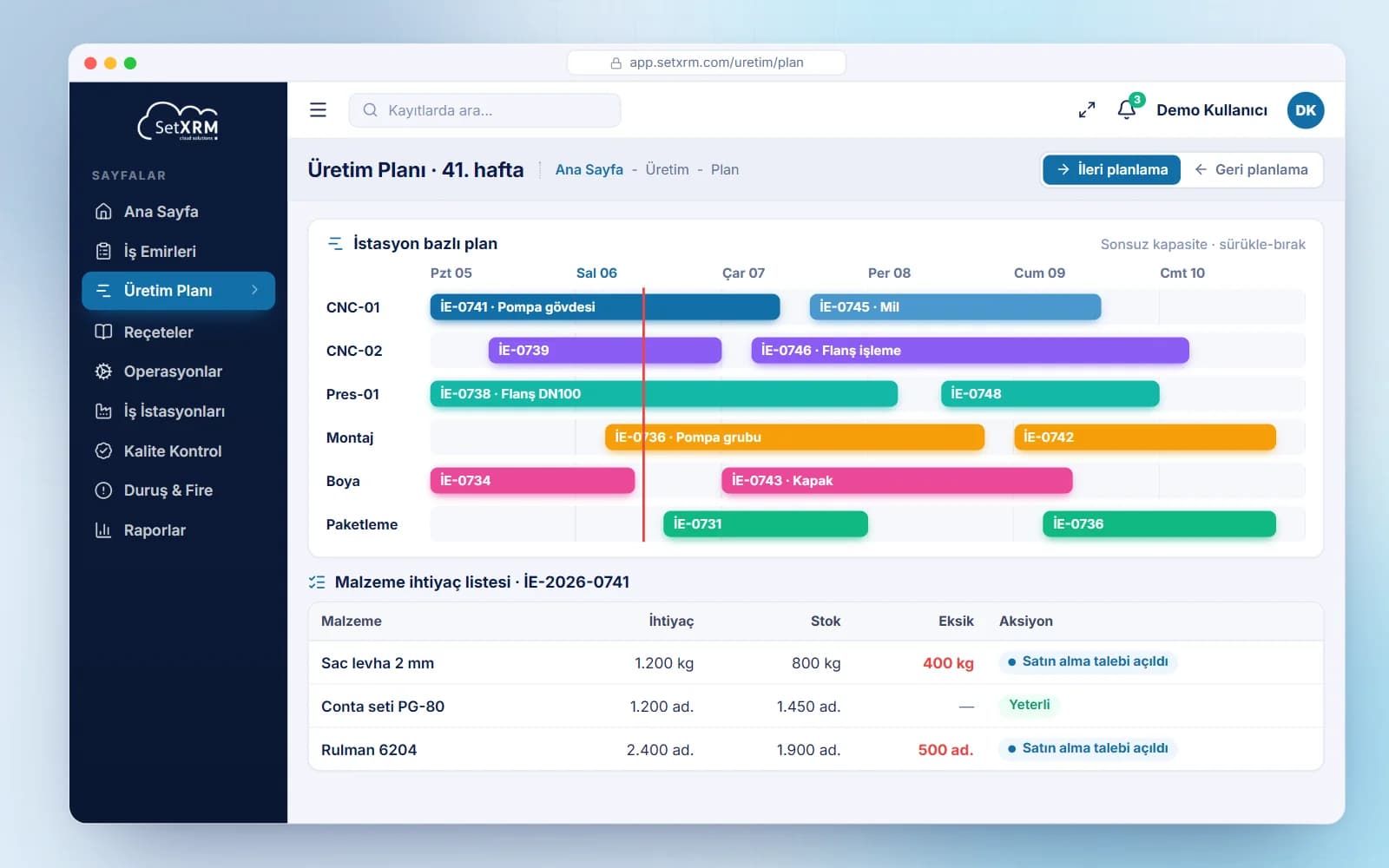
Planning is done forward or backward from the request date: give an end date and the system sets the start date based on line capacity, or vice versa.
Capacity monitoring
Daily, weekly and monthly capacities of all workstations are monitored; a running job can be put on hold to fit in another job.
Material requirements list
Creating a work order generates a material requirements list with current stock and required quantities; purchase requests are opened automatically for missing items.
Integrated operation
The production module works integrated with sales and purchasing; production receipts and consumption slips are posted to your accounting software.
Flexible planning with an infinite capacity approach
Requests reach the production module from two sources: from an order, or from the planning department requesting production for stock. The SetXRM production module works with an infinite capacity approach.
Production is scheduled forward or backward based on the request date. Capacities of all workstations are monitored; when a work order is created, a material requirements list is generated and purchase requests are created automatically for items not in stock.
Process
SetXRM production processes
From request to accounting software, the production process works as follows.
Request and review
Requests are routed to production planning, which checks whether the product is already defined and reviews its bill of materials, workstations and operations.
Production order
For a product produced before, the customer delivery date is checked; the system reviews work plans for a suitable date and creates a production order and a material requirements list.
Purchasing plan
If purchasing is required, it is planned.
Work order and execution
The work order is given to the relevant unit, which starts the job with the operator code, enters any downtime and, when finished, records end date, time and actual quantities.
Scrap entry
Any scrap is recorded in the system.
Quality control and posting
Quality checks are performed and values entered; the quantity produced is posted as a production receipt and consumed materials as consumption or production issue slips in the accounting software.
Related solutions
You may also be interested in
A tailored demo of Production Management (MRP II)
Tell us about your needs and we will configure SetXRM around your business processes together.